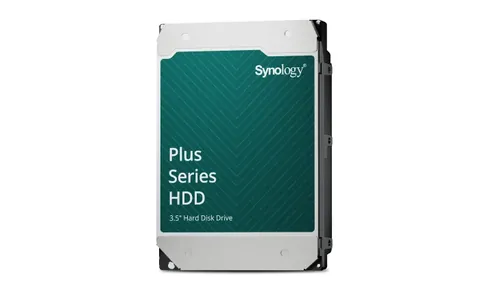
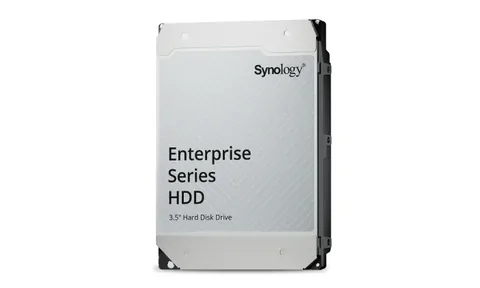
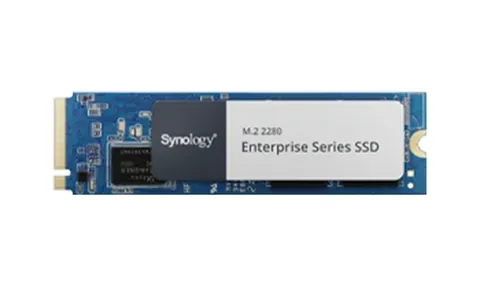
From the 2025 Plus models onward, Synology tightened its drive policy: new storage pools can only be created on drives from the model's compatibility list, and for most Plus and all rackmount units that list is Synology's own HAT3300, HAT5300 and HAS5300 series. Older models and the Value and j series are unaffected.
Why Synology did it
Synology tests drive firmware against each NAS, qualifies it for 24/7 duty and delivers firmware updates through DSM. The company's position is that a NAS it fully controls fails less often and is easier to support. Whatever you think of the policy, it is the reality when you buy a DS925+ or RS2825RP+ today.
Which drive for which model
| Drive | Capacities | Workload rating | Warranty | For |
|---|---|---|---|---|
| HAT3300 / HAT3310 / HAT3320 Plus | 4 to 20TB | 180TB/year | 3 years | DiskStation Value and Plus |
| HAT5300 / HAT5310 / HAT5320 Enterprise | 4 to 24TB | 550TB/year | 5 years | Plus, xs+, RackStation, FlashStation |
| HAS5310 Enterprise SAS | 12TB | 550TB/year | 5 years | SA series, RXD/RX-sas expansion |
| SAT5221 SATA SSD | 960GB to 3.84TB | 1.3 DWPD | 5 years | All-flash volumes in standard bays |
| SNV3410 / SNV5420 NVMe | 400GB to 1.6TB | 0.7 to 1 DWPD | 5 years | Cache and NVMe pools in M.2 slots |
Migrating from an older NAS
Drives that already hold a Synology storage pool can be moved into a new model and will be recognised, even if they are not on the list. You lose the ability to create new pools or add unlisted drives to the pool. For a clean start, build the new unit on listed drives and use Hyper Backup or Migration Assistant to move the data.
Mixing capacities
SHR lets you mix capacities and use the space efficiently; mixing Plus and Enterprise drives in one pool is possible but Synology recommends against it because the firmware behaviour differs under load.